One notch. Everything you transcribe, stage & control.
Call live transcription (Zoom, Meet, Teams, mic), smart clipboard history, live music & video activities with synced lyrics, temp shelf, live atmospheric weather, and floating desktop widgets right in your Mac's notch.
Designed to seamlessly
Supports all of your Apps.
Native integration across developer tools, creative suites, meeting platforms, and daily workflows.
Everything orbits your notch.
Nine tools, zero extra windows.
Call Live Transcription.
Have a natural conversation. Recall transcribes, summarizes & recalls every word live.
Transcribe Zoom, Google Meet, Microsoft Teams, FaceTime, and system microphone in real-time with zero meeting bots. 100% on-device AI directly on Apple Silicon Neural Engine with zero cloud egress.
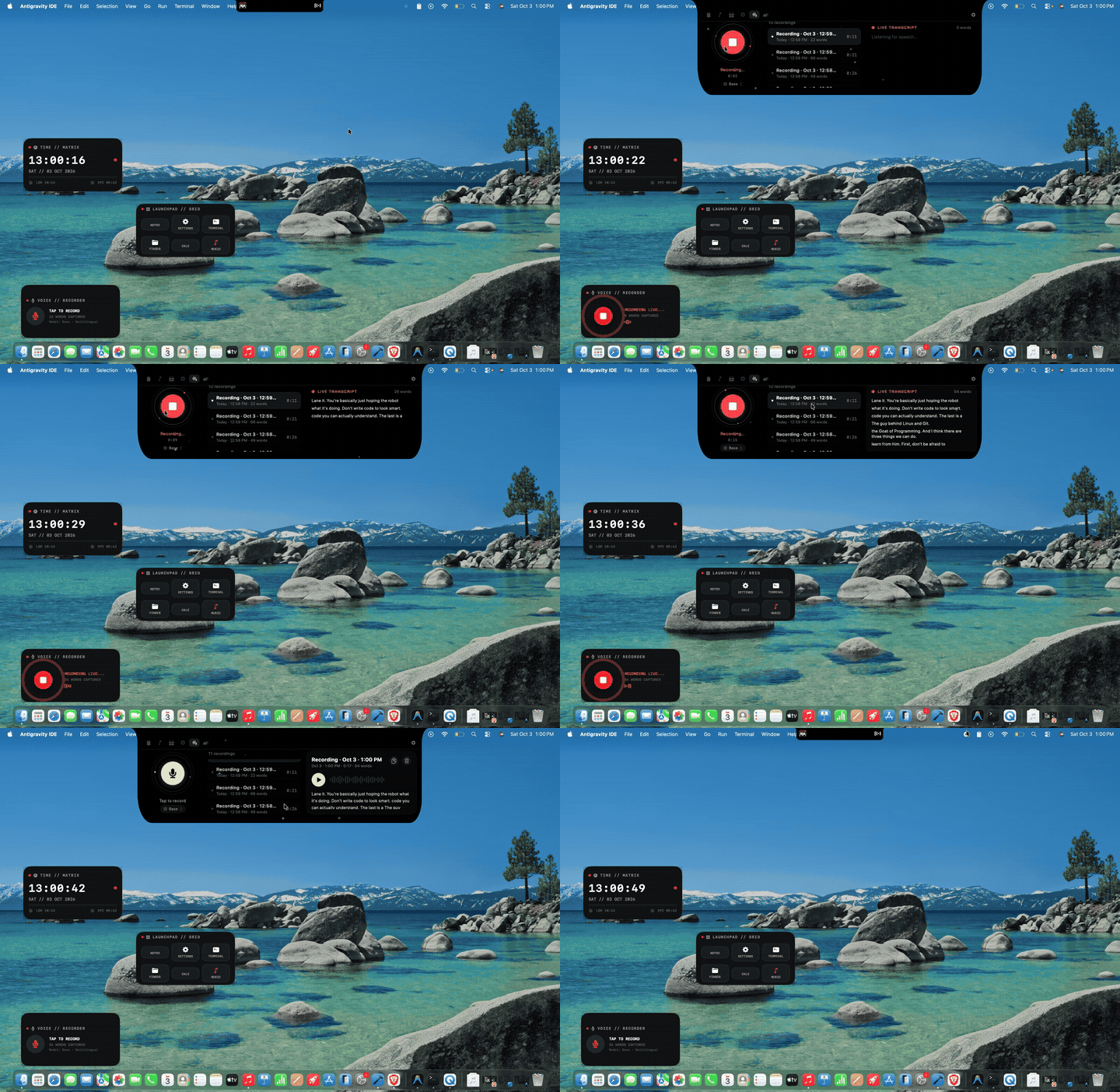 Live AI Demo · 120 FPS
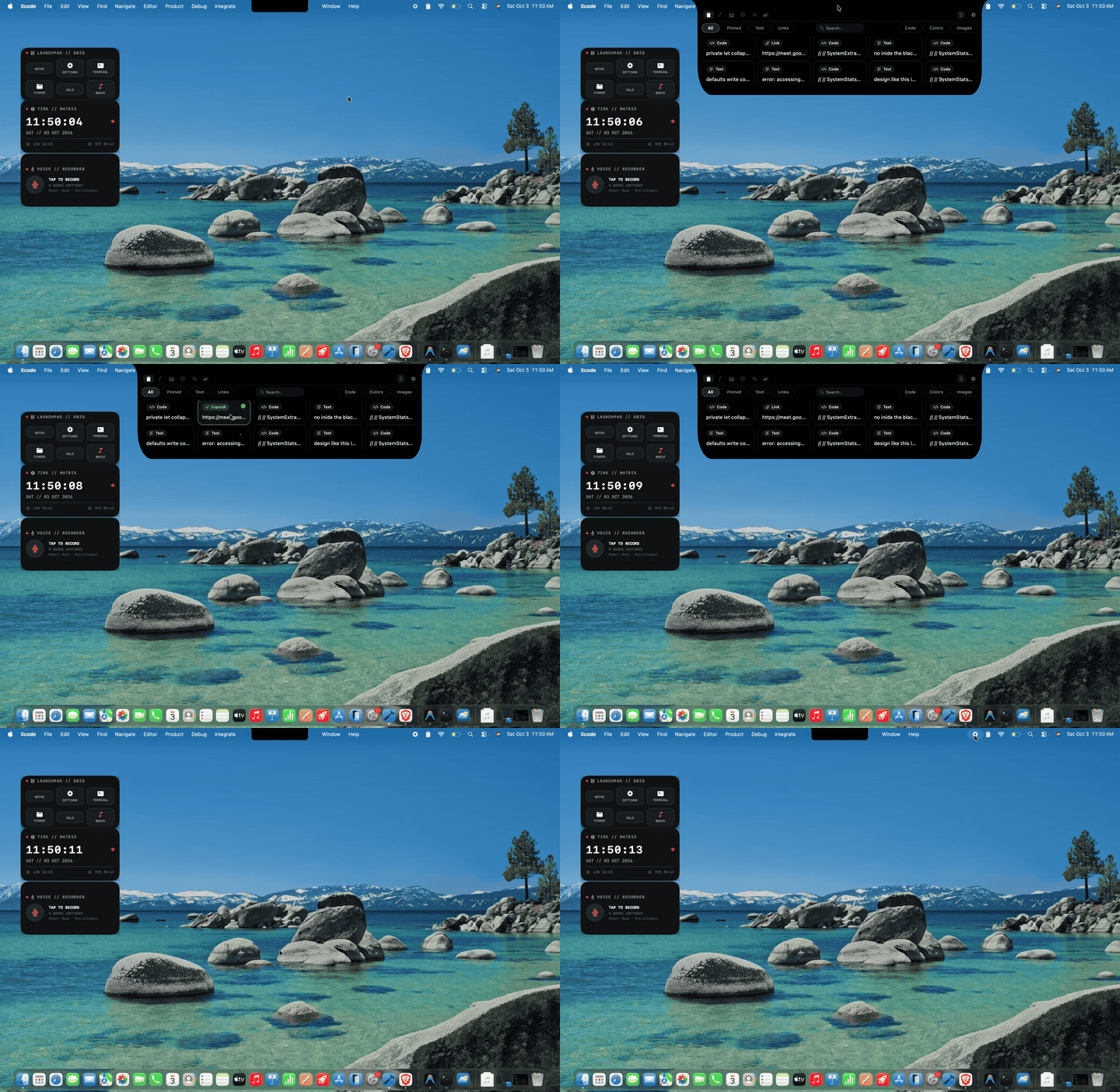 Live Clipboard Demo · Instant OCR
Smart Clipboard Manager.
Keep unlimited history of everything you copy across all of your Mac apps.
Never lose a snippet again. Instant fuzzy search, custom snippet pins, automatic categorization for links, code, and hex colors, plus instant OCR Live Text extraction directly from screenshots.
Live Activities & Lyrics.
Soundtrack your focus with 120 FPS audio visualizers & synchronized lyrics.
Control Spotify, Apple Music, YouTube, and browser playback with effortless glide gestures right in the notch. Features rotating vinyl disc artwork, audio wave visualizers, and word-by-word synced karaoke lyrics.
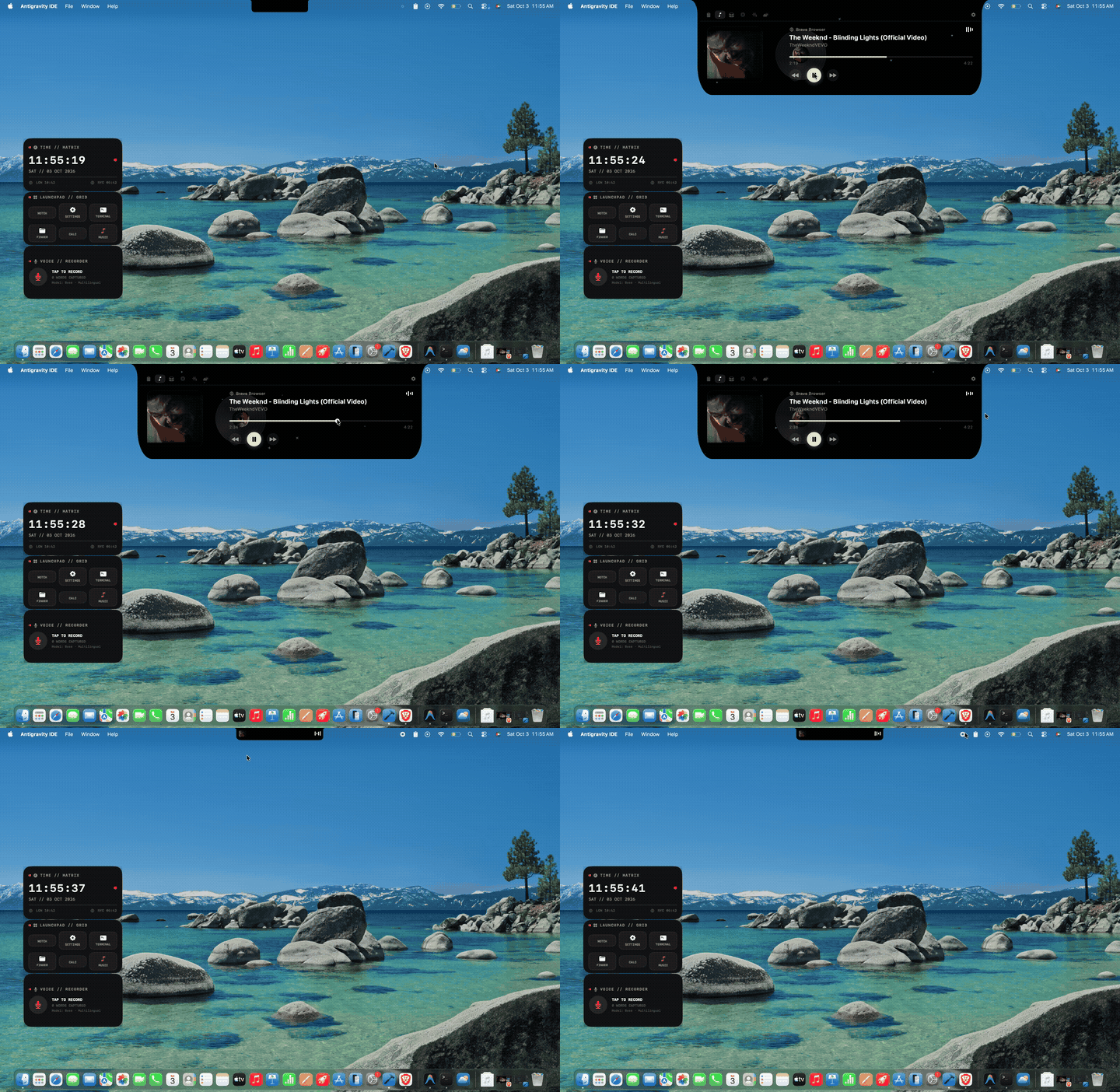 Live Music HUD · Synced Lyrics
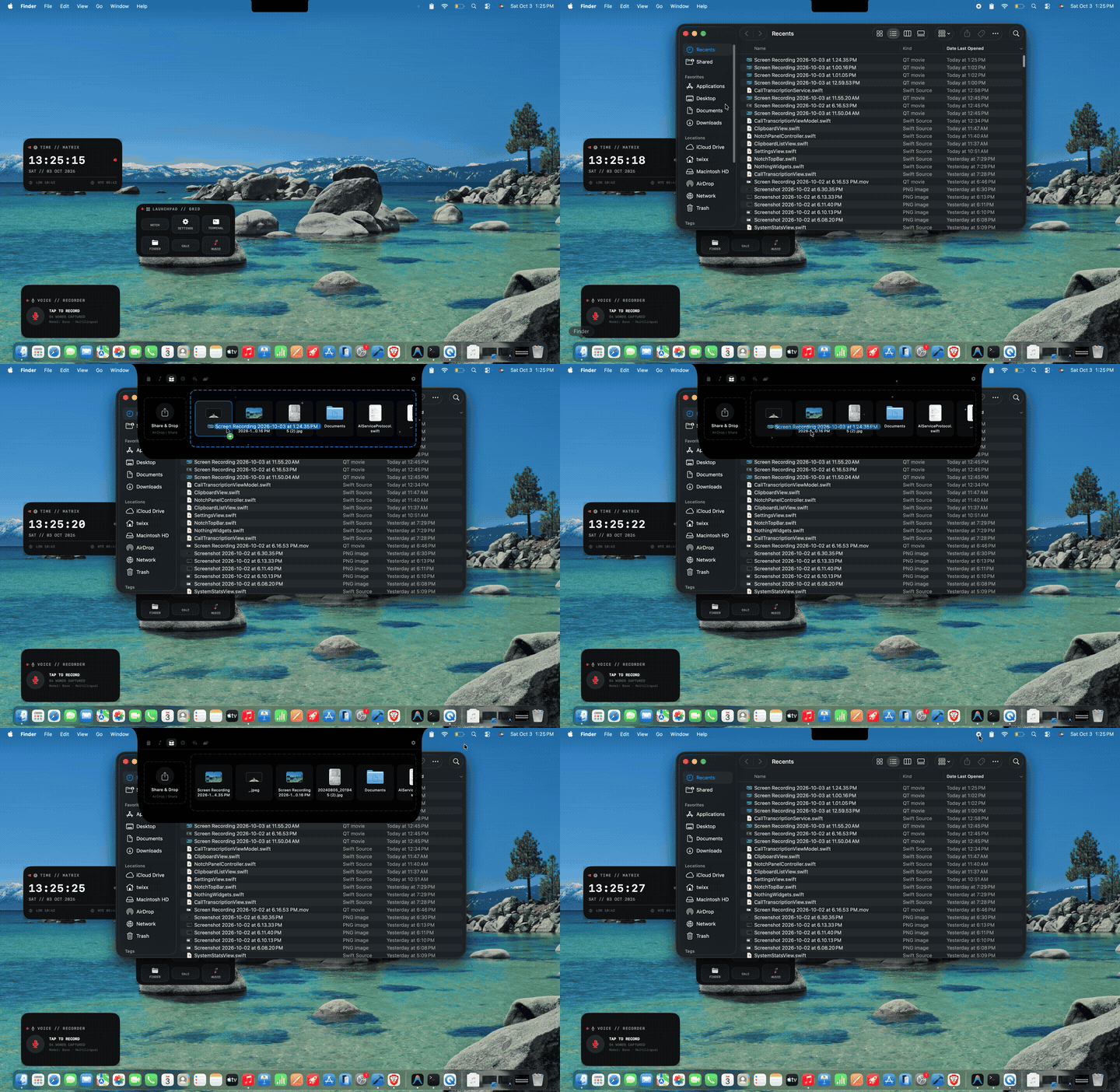 Live Temp Shelf · Drag & Drop
Temp Shelf & Staging.
A frictionless drag-and-drop staging shelf anchored right at your screen's notch.
Hold files, folders, code snippets, and screenshots while switching between full-screen apps and spaces. Drag them in from anywhere, and drop them seamlessly into Finder, Slack, or email in a single motion.
Everything you reach for, in one notch
Recall combines live call transcription, smart clipboard history, music & video activities with synced lyrics, temp shelf, live atmospheric weather, and desktop widgets into a single ultra-lightweight dynamic island.
Call Live Transcription & Voicenotes
Transcribe Zoom, Google Meet, Microsoft Teams, and system microphone in real-time with zero meeting bots. Generate instant structured summaries, action items, and query your voice memory with conversational AI — 100% on-device.
Smart Clipboard Manager
Keep unlimited history of everything you copy. Instant fuzzy search, custom snippet pins, automatic categorization for links, code, and hex colors, plus instant OCR Live Text extraction from screenshots.
Live Music & Video Activities
Rotating vinyl disc artwork, 120 FPS audio visualizers, and synchronized karaoke lyrics right in the notch. Control Spotify, Apple Music, YouTube, and browser videos with effortless glide gestures.
Temp Shelf
A frictionless drag-and-drop staging shelf anchored at the top of your screen. Hold files, folders, code snippets, and screenshots while switching apps, then drop them into Finder, Slack, or email in one move.
Real-Time Live Weather
Glanceable atmospheric weather in the notch. Real-time temperature, condition animations, hourly weather strip, precipitation alerts, UV index, wind velocity, humidity, and 7-day forecasts without opening heavy browser tabs.
Desktop & Notch Widgets
Place glanceable mini-widgets directly onto your desktop canvas or anchor them to screen corners. Floating media player, live weather pill, quick audio note trigger, and temp shelf targets that stay out of your way.
Everything included.
One lifetime price.
Buying live transcription, clipboard, music HUD, shelf, weather, and desktop widgets separately costs over $230+. Recall includes all 6 features in a single lifetime license.
| FEATURE | COMPARABLE APP | THEIR PRICE | RECALL |
|---|---|---|---|
| 🎙️ Call Live Transcription & Voicenotes | Voicenotes / Otter | $120.00/yr | Included |
| 📋 Smart Clipboard Manager & OCR | Paste | $29.99/yr | Included |
| 🎵 Live Music & Video Activities + Lyrics | DynamicLake / Sleeve | $19.99 | Included |
| 📦 Temp Shelf & Drag Staging | Yoink | $9.99 | Included |
| ⛅ Real-Time Live Weather HUD | Carrot Weather | $14.99/yr | Included |
| 🪟 Desktop & Notch Glanceable Widgets | WidgetWall | $39.99 | Included |
| Buying separately | ~$234.95+ | — | |
|
Recall Lifetime
One-time purchase · Up to 2 Macs · All 6 core tools + Free updates forever
|
— |
$19.99
$16
20% OFF
USD one-time
|
|
Competitor prices are public list prices. Voicenotes/Otter, Carrot, and Paste shown at standard annual subscriptions.
Pay once, own it forever. Includes all 6 core features, macOS Sequoia compatibility, and future upgrades.
Frequently Asked Questions
Everything you need to know about privacy, compatibility, multi-display setups, and licensing.
Zero bots required! Unlike traditional transcription services that send a creepy bot into your Zoom, Google Meet, or Microsoft Teams calls, Recall captures audio directly at the macOS CoreAudio level. It transcribes system audio and your microphone in real-time, splits speakers, generates structured action items, and lets you ask AI questions about your voice notes with 100% on-device privacy.
Yes. Recall is fully notarized and approved by Apple. All voice transcription, clipboard history, weather data, and staged files are processed 100% locally on your Mac. No audio or personal data ever leaves your device.
No. Recall is written in native Swift with extreme optimization for macOS. It idles at under 0.1% CPU and has near-zero impact on battery longevity.
Yes! You pay once ($16 on sale) and own all 6 core features forever. This includes all future updates and compatibility updates for future macOS versions. No recurring subscriptions.
Recall works flawlessly on Macs without a physical notch (like iMac, Mac mini, Mac Studio, Mac Pro, and older MacBooks). It renders as a sleek floating Dynamic Island HUD at the top of your screen.
Yes! You can configure Recall to appear on Auto (active cursor display), every connected external screen, or any custom combination of monitors.
Yes. Recall is shipped as a Universal Binary supporting both Intel x86_64 and Apple Silicon (M1/M2/M3/M4) Macs running macOS Sonoma 14.0 or newer.
Have a feature idea or spotted an issue?
We build Recall in public and ship weekly. Submit feature requests, bug reports, or performance feedback directly to our engineering backlog.